Google Ads Generator with AI
Create relevant RSA ads 10x faster. Visual editor, preview, and AI copywriting.
Try for FreeProblem
Creative block and blind work?
Writing dozens of headlines manually is hard. And in Excel, it's impossible to understand how the ad will look on a smartphone.
Quantum Solution
Visual Builder with AI
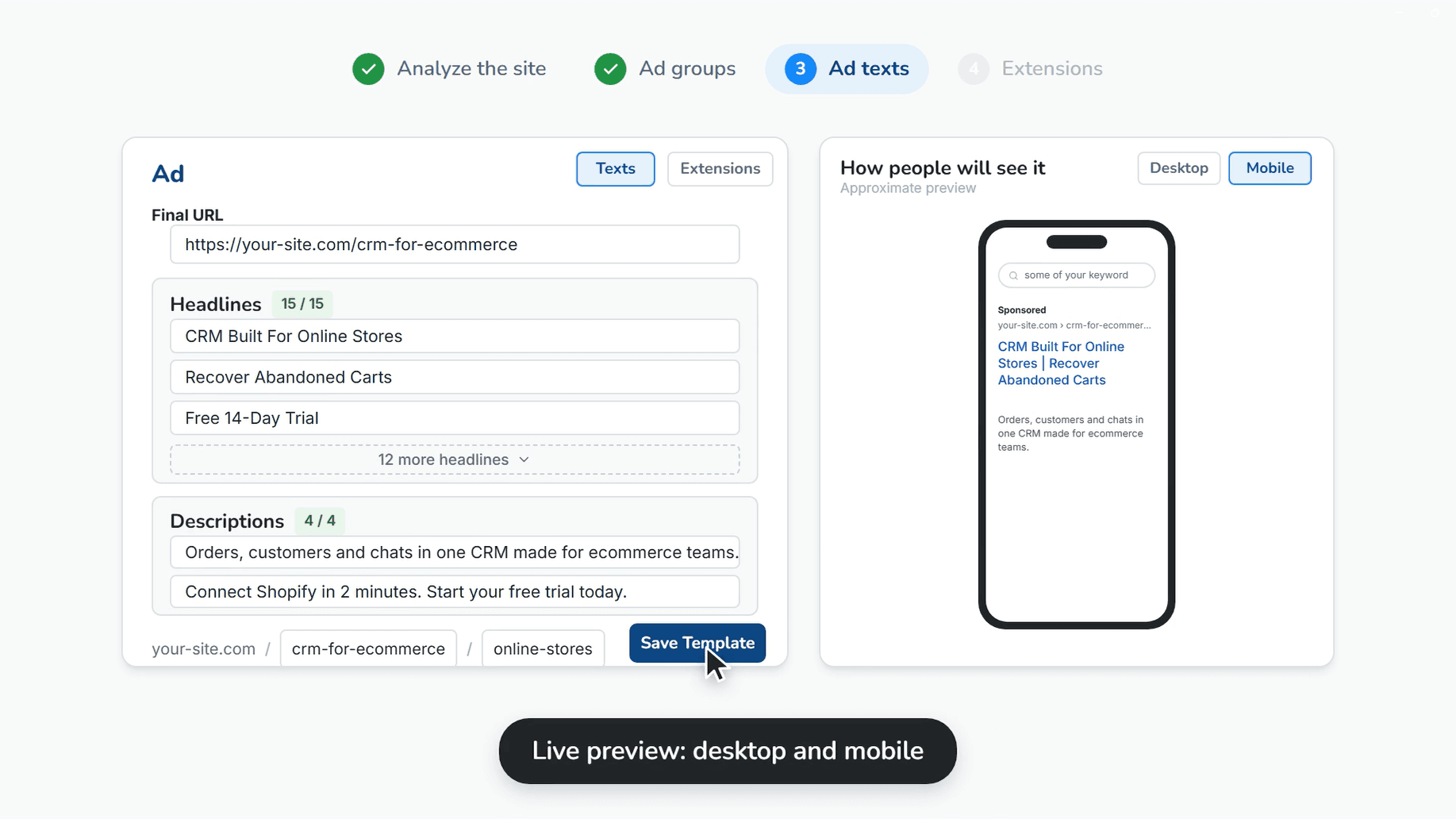
Quantum generates headlines and descriptions for you. You immediately see an ad preview, just like on Google Search.
AI Copywriter
Automatic generation of headlines and descriptions based on your landing page content and keywords.
Live Preview (Desktop & Mobile)
See how headlines are truncated and how the ad looks on different devices in real-time.
Extension Generation
Create sitelinks, callouts, and structured snippets using AI, and save them in the project.
How it Works
Select Groups
Select ad groups for which you need to create creatives (based on previous clustering).
Generate Content
Click the generate button or write text manually using dynamic insertion {KeyWord} and pinning Headlines and Descriptions.
Add Extensions
Generate sitelinks and callouts to increase the ad's 'weight' on the search results page.