Professional Campaign Launch Without File Hassle
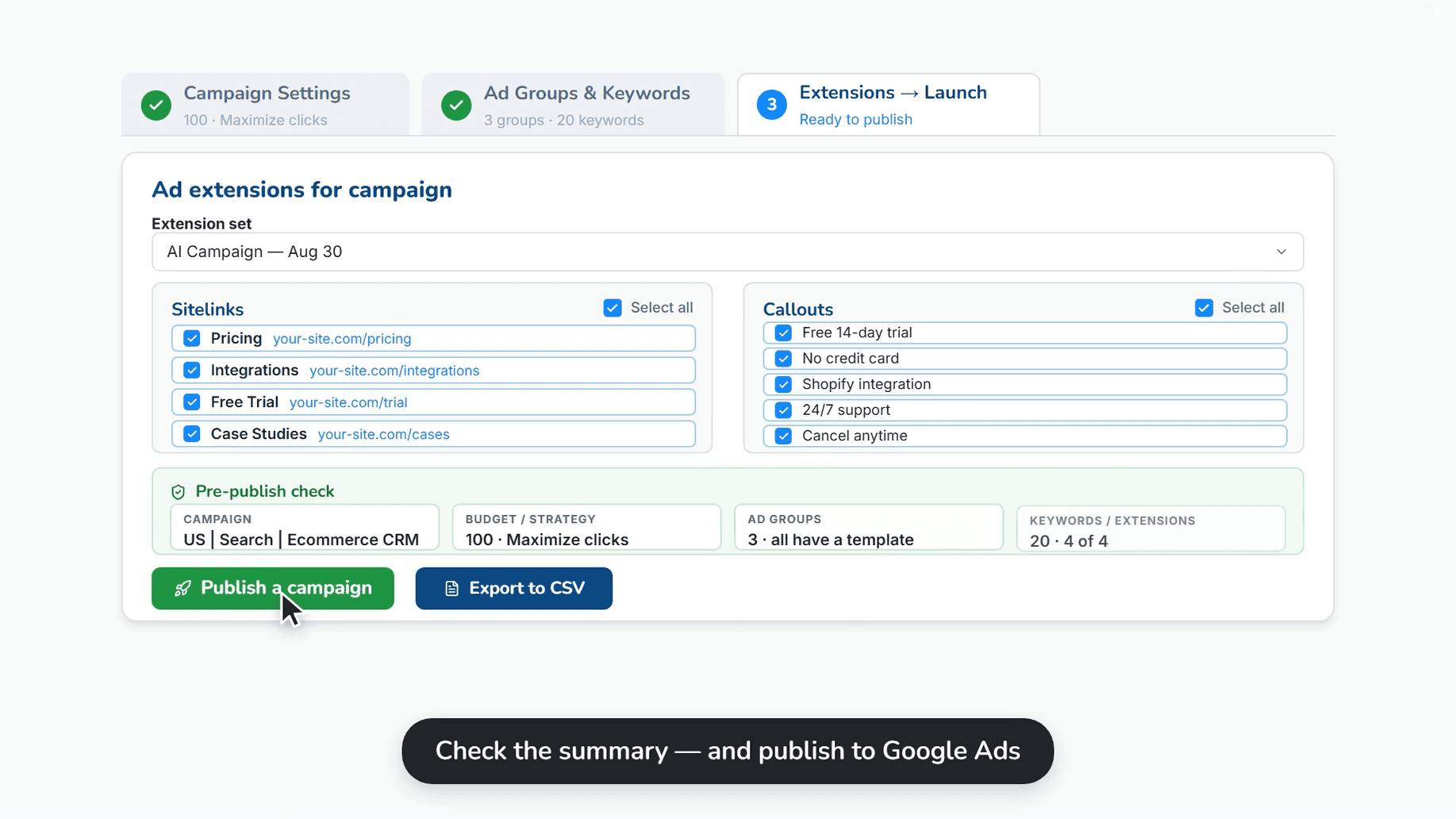
Full control over settings before start. Check structure, link extensions, and publish campaigns directly to the Google server.
Try for FreeProblem
Complex upload process?
Export to CSV, open Google Ads Editor, import, check for errors, post... Too many steps.
Quantum Solution
Direct API Integration
Upload ready-made campaigns with all settings, keywords, and ads directly from the Quantum interface.
Full Settings Control
Set budgets, bidding strategies, geo-targeting, and languages in one window before publishing.
Match Type Assignment
Bulk change match types (Broad, Phrase, Exact) for keywords before sending.
Link Extensions
Automatically add negative keyword lists and extensions to the new campaign.
How it Works
Basic Settings
Specify name, budget, bidding strategy (Target CPA, ROAS, etc.), and geo-targeting.
Structure Check
Ensure all ad groups and keywords are pulled correctly. Select negative keyword lists.
Publish
Click 'Upload to Account' for instant publishing or download CSV for import into Google Ads Editor.