Shopping Launcher: Launch Google Shopping Campaigns in Minutes
Automatic feed segmentation. Launch PMax and Standard Shopping with perfect structure.
Try for FreeProblem
One 'All Products' group is a failure.
To manage bids effectively, you need to split products by category/brand, etc. Manually - this takes hours, especially on large ecommerce projects.
Quantum Solution
Automatic Campaign Structuring
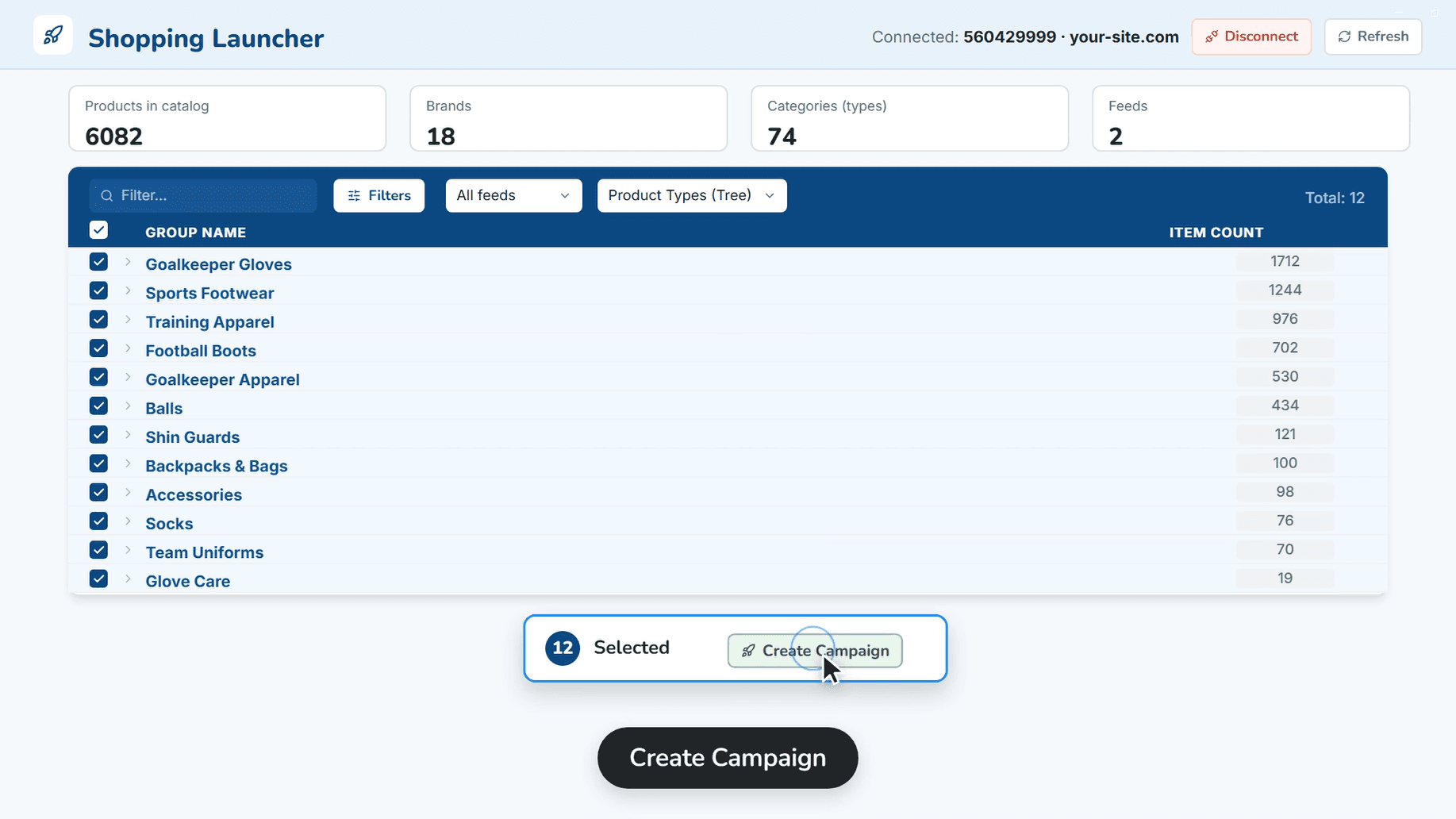
Choose a strategy (e.g., Split by Product_Type), and Quantum will create hundreds of ad groups for you.
SPAG Method
Single Product Ad Group - each product in its own group. Maximum control of bids and negatives (for Standard Shopping).
Smart Segmentation
Split by Brand, Product Type, or Custom Label. Works for both Shopping and PMax.
Merchant Center Scan
Direct integration with the feed to get the current product structure before launch.
How it Works
Select Merchant Account
Connect GMC and scan the feed to get a list of products.
Select Products & Structure
Filter required products and choose a splitting method (e.g., Split by Brand).
Launch
Set budget and strategy. The system will create a campaign with a ready-made group structure.