

Do you spend hours in the Google Ads interface doing monotonous work? The standard interface is reliable, but it wasn't built for speed. We developed the Quantum PPC Extension to eliminate routine and let you focus on strategy.
This extension is a must-have tool for any PPC specialist who values their time. It integrates directly into your browser and enhances the standard Google Ads functionality with features we've all been missing.
How It Works: 3 Scenarios That Will Save You Hours
We analyzed the workflow of experienced professionals and implemented improvements exactly where they are needed most.
Scenario 1: Adding New Keywords (Match Type Management)
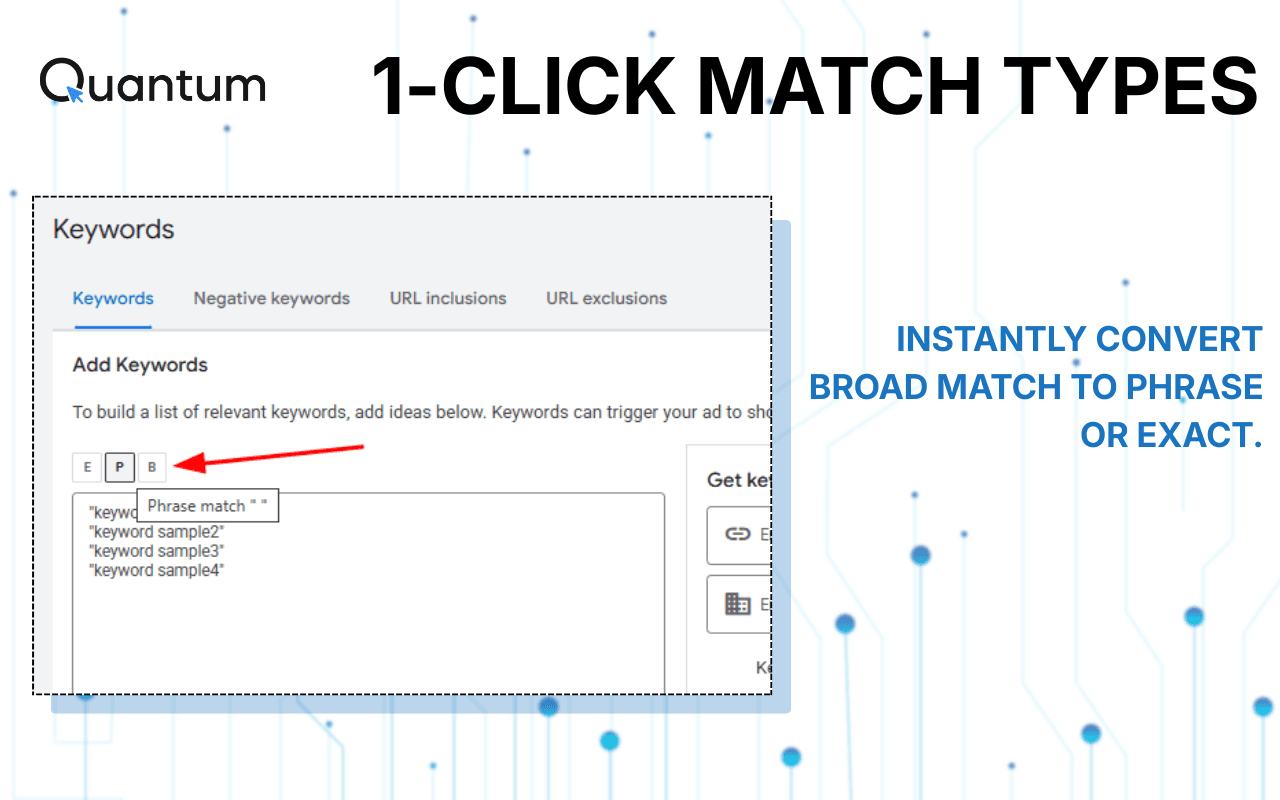
No more manually typing quotes "" or brackets []. When you are on the "Add Keywords" page, the extension activates a quick-switch panel.
- The Problem: You copy a list of keywords from Excel or Keyword Planner, and they are all in Broad Match.
- The Quantum Solution: Buttons for E (Exact) / P (Phrase) / B (Broad) appear below the input field. With one click, you wrap the entire list or individual phrases into the desired match type before adding them to the ad group. This eliminates syntax errors and saves tons of formatting time.
Scenario 2: Processing Search Terms - Adding Negative Keywords (N-Gram Mode)
Traffic cleaning is the most tedious part of the job. Usually, you have to copy the query, isolate the "junk" word, and add it to negatives.
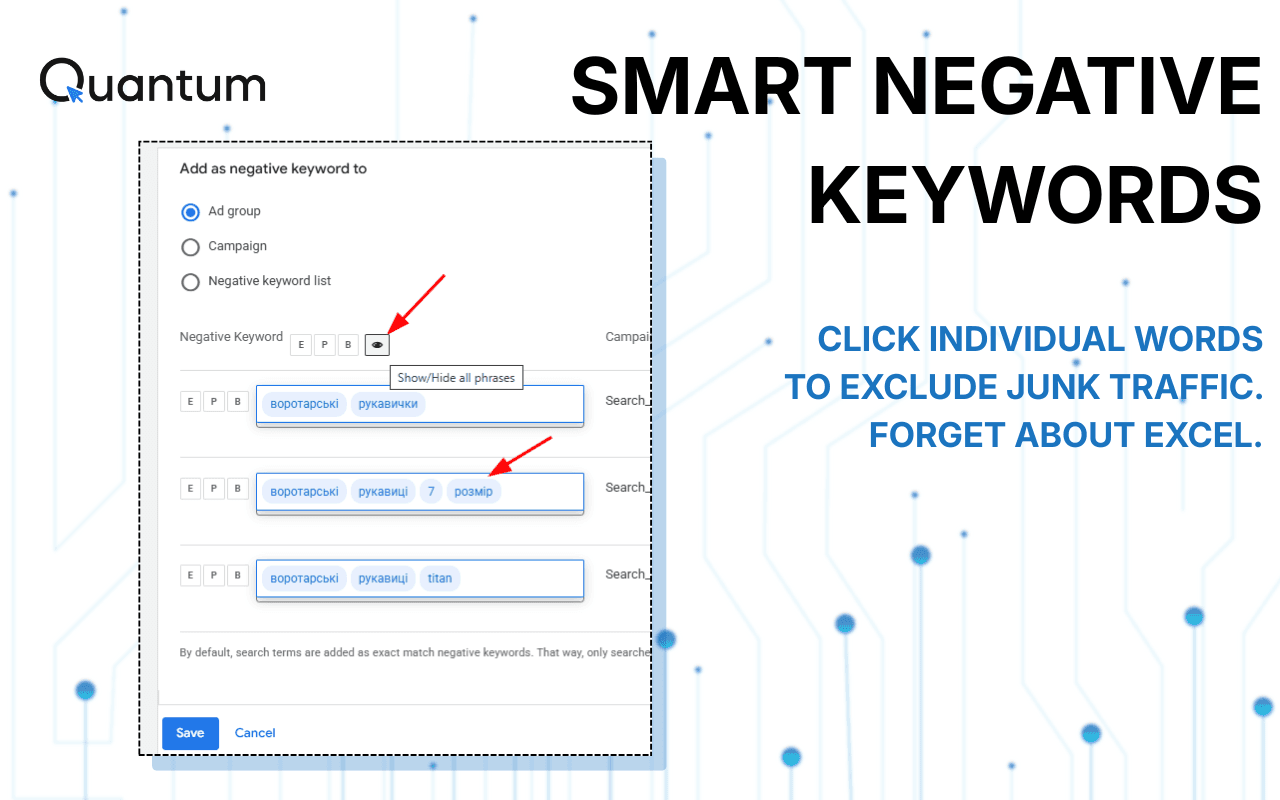
- The Quantum Solution: In the "Search Terms" report, the extension breaks down each search query into individual words (tags).
- How It Works: See a query like "buy adidas sneakers used"? You don't need to select text. Just click on the word "used" - and the entire phrase in the negative keyword field will be replaced by the selected word "used". Working with tags directly in the interface makes traffic cleaning 3-4 times faster.
Scenario 3: Search Terms Analysis - Selecting Effective Keywords
When reviewing Search Terms, you often encounter ambiguous queries. Before adding a query to your semantics (as a keyword), you need to understand the user intent.
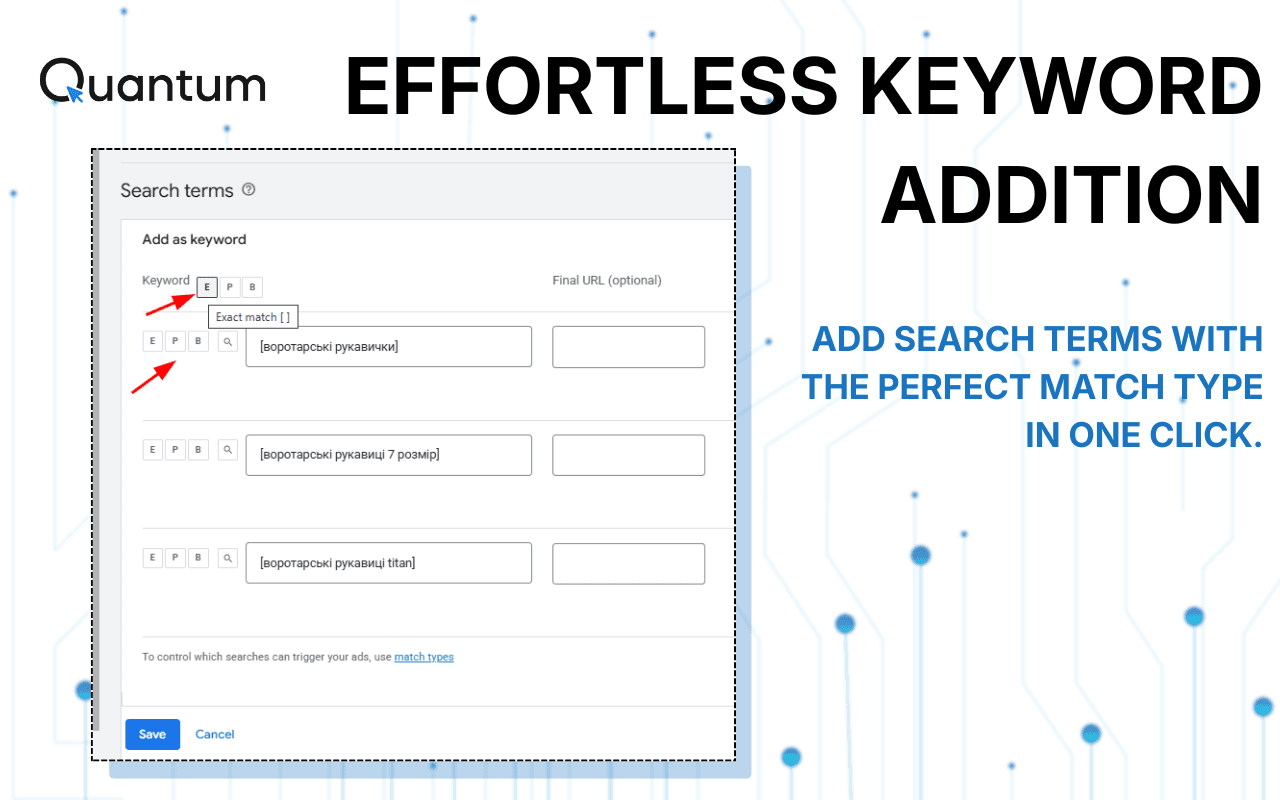
- The Quantum Solution: A Magnifying Glass icon appears next to each query.
- The Action: Clicking the magnifier instantly opens the real Google SERP for that query in a new tab. You see competitors, organic results, and understand if the query is relevant to your offer. If it is - use Smart Copy (one-click copy without highlighting) to grab the query into Excel or Notepad. Or add it as a new keyword directly from the report, switching its match type in a single click.
Security and Privacy
We understand the value of your data. Quantum PPC operates locally in your browser. We do not collect, store, or transmit data about your ad campaigns, budgets, or keywords. The extension only verifies your Quantum account registration status to unlock features.
Conclusion: Stop fighting the interface. Install Quantum PPC Extension and turn the routine of pasting negative keywords and match types into a fast and even enjoyable process.
Note: An active Quantum platform account is required for the extension to function.